
Have any question?

+91 6282021351

AI

Chakka Business

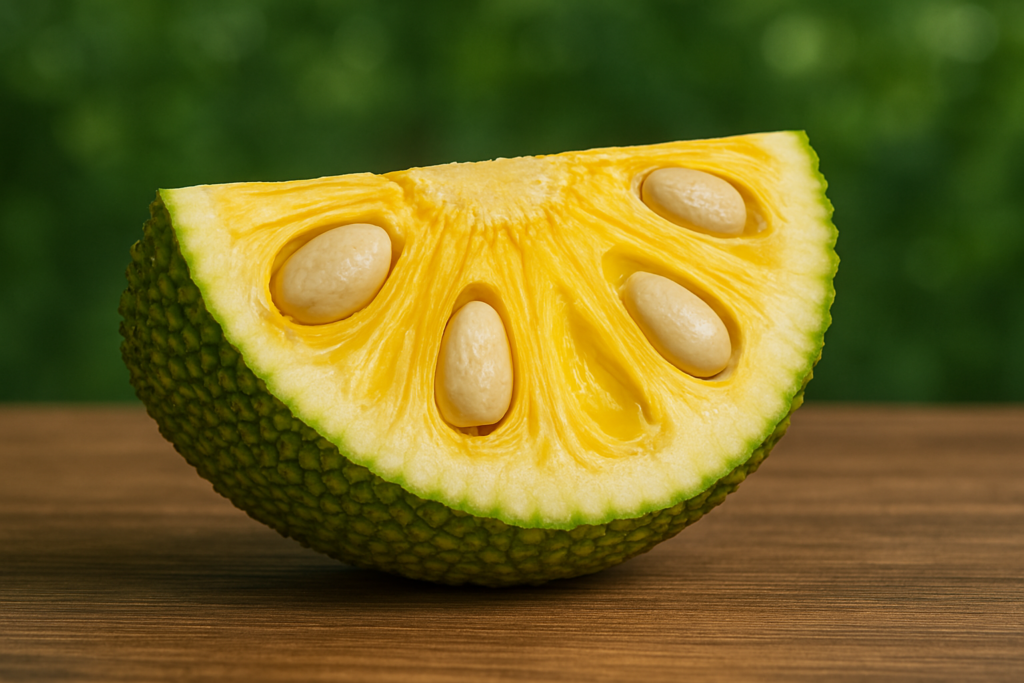
Starting your own Chakka powder business consists mainly of 3 steps. Acquiring and grinding Chakka seed Making customized professional looking posters for your product Sell on Amazon 1. Acquiring and grinding Chakka seed Chakka (Jackfruit) is a fruit that is very commonly seen in India especially in the states of Tamil Nadu, Kerala and Karnataka. This the reason people often overlook the potential of this fruit in the export business. Abroad Jackfruit seed powder is used as a substitute for rice or wheat flour and the nutritional properties of this flour makes it a desirable product. India being the largest producer of Chakka makes it extremely easy to acquire the seeds. Thoroughly wash your Chakka seed and dry it till its free of moisture. To get it dried well and get the best results it is recommended to use a dehydrator. Now grind up your dried and dehydrated seeds to get your final product. 2. Making customized professional looking posters In the case of most physical products, the sales depends largely on how it is presented to the customers. So it is imperative to make your product look as premium as possible and make it stand out from the crowd. For this you need captivating product photos. This can be done easily by the use of an AI image generation app called WizadAI.  WizadAI is an AI powered poster generating app which focuses on production of Product Photography and Poster generation. Select Product Photography to click an image of the product and upload into the app. And that’s it, the AI will automatically recognize the product, cut it out, select a suitable yet premium background for your product and create the posters for you. WizadAI gives you the option to make multiple posters so that you can get your desired posters in under a minute. You can then either download your completed poster or post direct to all social media platforms. 3. Sell on Amazon 3.1 Register as a Seller Visit sellercentral.amazon.in and sign up with your GST number, PAN card, and bank details. 3.2 List your Product Upload product details like title, description, price, and photos manually or in bulk using Amazon’s listing tools. 3.3 Pricing and Shipping Decide your product prices. Choose Amazon FBA (Fulfillment by Amazon) for hassle-free shipping or handle shipping yourself (FBM). Note: For all the software from the Ai to the extension have some payment barriers so it is wise to consider the time and conviction you are willing to put into this format of revenue generation before jumping right into it or you can always try the free versions to first test the waters before entirely committing.SeagulMedia is the Best Digital Marketing Agency in Kerala with multiple successful projects and collaborations. For Digital Marketing Services do not hesitate to contact SeagulMedia at info@seagulmedia.com through Email OR leave a message on our website www.seagulmedia.com .

Chakka Business Read More »

Ai Video Creation

For creation of the AI animated video consists mainly of 3 steps.   First select Image of product Convert to video Sell on Fiver 1. Selection of Image In this format of using AI tools to create video to promote a product, you are mainly looking to portray your skills in efficient prompt handling. Being creative with your prompts for the initial image takes precedent over the other steps. With a general idea of your product you can write up a prompt to create an AI image to suit your needs. You can also use AI tools like chatgpt to further improve your prompts. In a sense, it is much more convenient to first create prompt with the help of AI tools then further refine the prompt as to suit you the best. For the creation of images like this we can use chatgpt for the prompt and using the prompt from chatgpt you can generate images using any AI image generator such as chatgpt, Leonardo.ai, Ideogram, Midjourney.ai, etc.. Here is the prompt I used to create the image for a Nike shoe: A massive, photorealistic Nike shoe, with intricately detailed laces, stitching, and a vibrant swoosh logo, dominates the center of a lush green stadium, surrounded by empty seats and a clear blue sky, the shoe’s reflective surface capturing the subtle sheen of the sun, casting a subtle shadow on the grass beneath, while the overall scene is bathed in a warm atmosphere. 2. Animate the image Now that you have your desired image, it is time to animate the image into a quick yet attention grabbing video. Runwayml is the AI which I personally recommend because it can create far more realistic videos than what most AI video generators can. Create an appropriate prompt to add to your AI video generator so as to create the desired effect. Given below is the prompt I have used to generate this video: The Nike shoe levitates slightly off the ground and is spinning counter clockwise in a medium speed. There are orange colored Nike symbol blocks falling from the sky on to the shoe which get bounced off the shoe upon impact.     3. Sell on Fiverr Fiverr is a global freelance marketplace where sellers offer services (gigs) in design, writing, marketing, and more. Clients hire based on budget and reviews. Payments are secure, and freelancers level up with experience. It’s great for businesses needing affordable talent and for freelancers earning online. Creating a Fiverr account as a seller is a simple and straight forward process, First you make a seller’s account the you set up your gig. Gig is the portfolio which you will show to the potential customers when they are looking to purchase your services. You have to take ample time to thoroughly study and create the perfect gig so as to start receiving job commissions. No one will be willing to spend their money on an inexperienced and unprofessional looking gig. So make sure your gig looks like it is being handled by a professional. AI based services are currently in a boom which makes it the perfect time to ride the tide. As a bonus tip on how you can start getting your first work, after fully creating your gig, approach people close to you so as to get them to use your services through Fiverr. Doing this can easily get you a few 5.0 star ratings. In the initial stages it is much more important to have those reviews otherwise the potential customer might take you for an amateur.   Note: For all the software from the Ai to the extension have some payment barriers so it is wise to consider the time and conviction you are willing to put into this format of revenue generation before jumping right into it or you can always try the free versions to first test the waters before entirely committing. SeagulMedia is the Best Digital Marketing Agency in Kerala with multiple successful projects and collaborations. For Digital Marketing Services do not hesitate to contact SeagulMedia at info@seagulmedia.com through Email OR leave a message on our website www.seagulmedia.com .  

Ai Video Creation Read More »

AI Hero Video Generation

AI Hero Video Generation For creation of the AI animated video consists mainly of 3 steps. Find two images to combine Combining of images Adding motion I. Selection of two images The first step is to select relevant images to combine for your AI video generation. This images can vary according to the content you are planning to post. There are many examples such as Ironman and Eagle, Hulk and Gorilla, Capt. America and Shark, etc.. For the creation of hybrid images like this we can use chatgpt for the prompt and using the prompt from chatgpt you can generate images using any AI image generator such as chatgpt, Leonardo.ai, Ideogram, Midjourney.ai, etc.. For the reference we can use Thor and Gorilla. The prompt that I used and the images generated are given below for your reference “A striking hybrid depiction of Thor, blending elements of Norse mythology and futuristic sci-fi aesthetics. Thor is portrayed as a mighty figure wielding a glowing, high-tech version of Mjolnir, with intricate engravings that emit energy. His armor combines traditional Viking designs with sleek, metallic exo-suit features, glowing with energy conduits. The background is a dramatic storm with thunderclouds, lightning bolts, and a futuristic cityscape visible on the horizon. The color palette emphasizes electric blues, metallic silvers, and stormy grays. Thor’s expression is fierce and determined, exuding both power and wisdom.” “A stunning hybrid depiction of a gorilla, combining its powerful, primal features with advanced biomechanical enhancements. The gorilla has glowing cybernetic implants integrated into its body, with mechanical limbs and a sleek, reinforced exoskeleton. Its eyes emit a soft, glowing light, reflecting intelligence and power. The setting is a dense, futuristic jungle with a mix of natural foliage and metallic, high-tech structures. The color palette emphasizes deep greens, metallic silvers, and glowing neon blues. The gorilla stands in a commanding pose, exuding a blend of raw strength and futuristic sophistication.” II. Combining of Images Once we obtain the two images we are now ready to create the combined version of our superhero. For this you can use the same AI image generator you used for the creation of two images. You can create the combined image by giving the image input to the image generator or uploading the two images to chatgpt and asking for a prompt that can combine the two images. The combined Image and the prompt I used are given below for your reference “A powerful superhero avatar, blending the mythological essence of Thor with the primal strength and futuristic enhancements of a cybernetic gorilla. The character has the muscular physique and primal features of a gorilla, with glowing cybernetic implants and mechanical limbs that amplify strength. They wield a high-tech version of Mjolnir, engraved with glowing runes and energy conduits. The armor combines sleek, metallic Viking-inspired designs with a rugged, futuristic exosuit, featuring neon-blue energy highlights. Their face merges the intelligence and determination of Thor with the fierce, primal features of the gorilla, exuding both wisdom and raw power. The background is a stormy, futuristic jungle, with lightning bolts illuminating the high-tech landscape. The color palette emphasizes electric blues, metallic silvers, and stormy grays, with glowing accents symbolizing transformation and heroic energy.” III. Adding Motion to the Image Now at the final step it is necessary to give motion to the image we have created. For this you can use Runway ML. Below are the screenshots of animating the image using Runway ML for your reference     Note: For all the software from the Ai to the extension have some payment barriers so it is wise to consider the time and conviction you are willing to put into this format of revenue generation before jumping right into it or you can always try the free versions to first test the waters before entirely committing. If you have any further queries do not hesitate to contact at info@seagulmedia.com through Email OR leave a message on our website www.seagulmedia.com .

AI Hero Video Generation Read More »